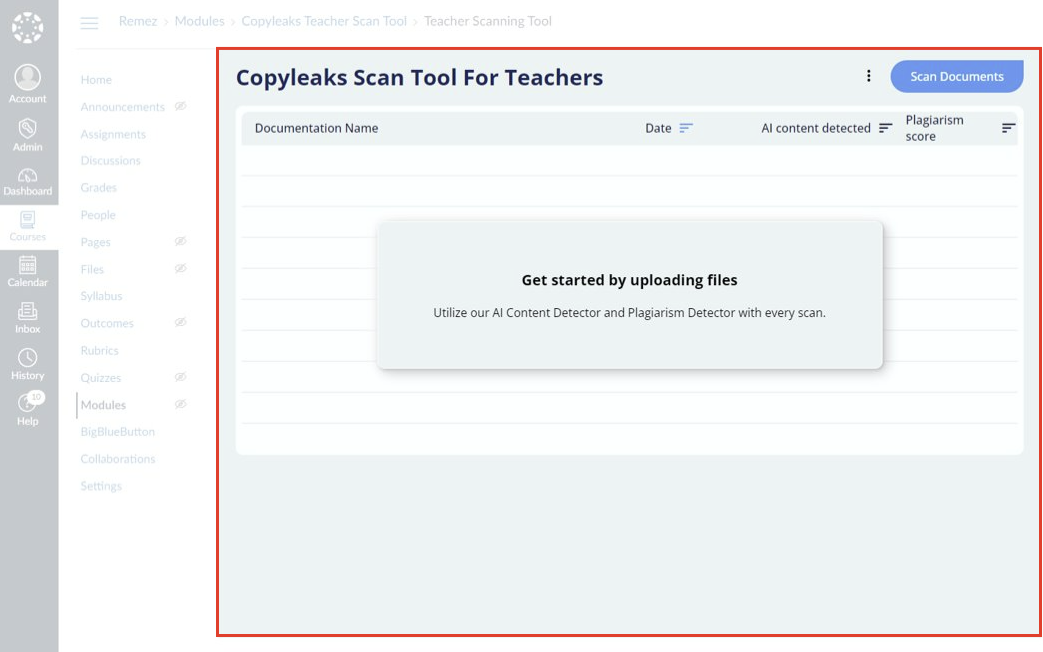
Here is the how-to for adding the Copyleaks Intructor Scan tool.
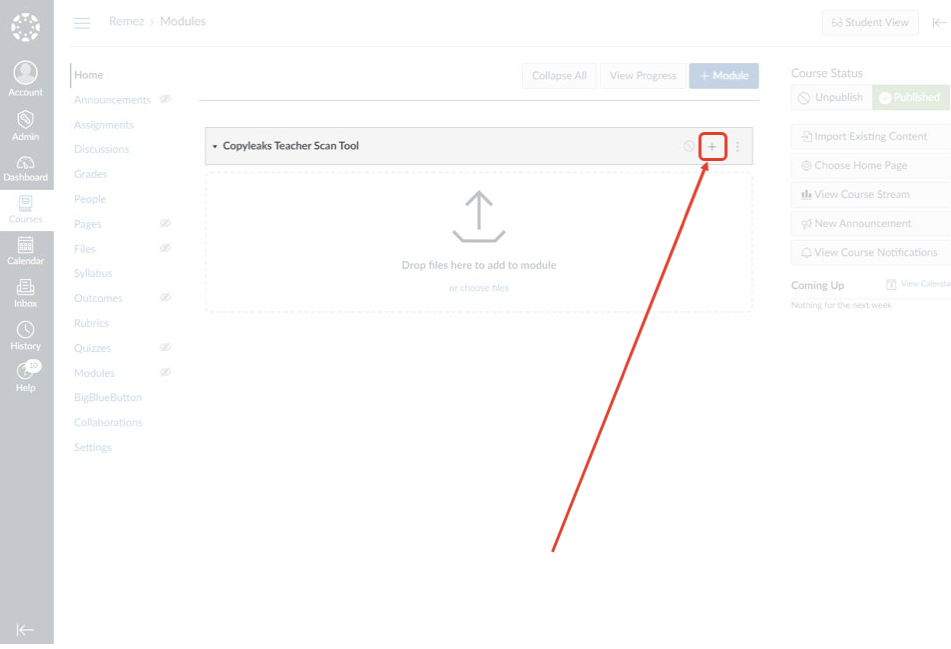
1. Click on the + button in a new or existing Module.
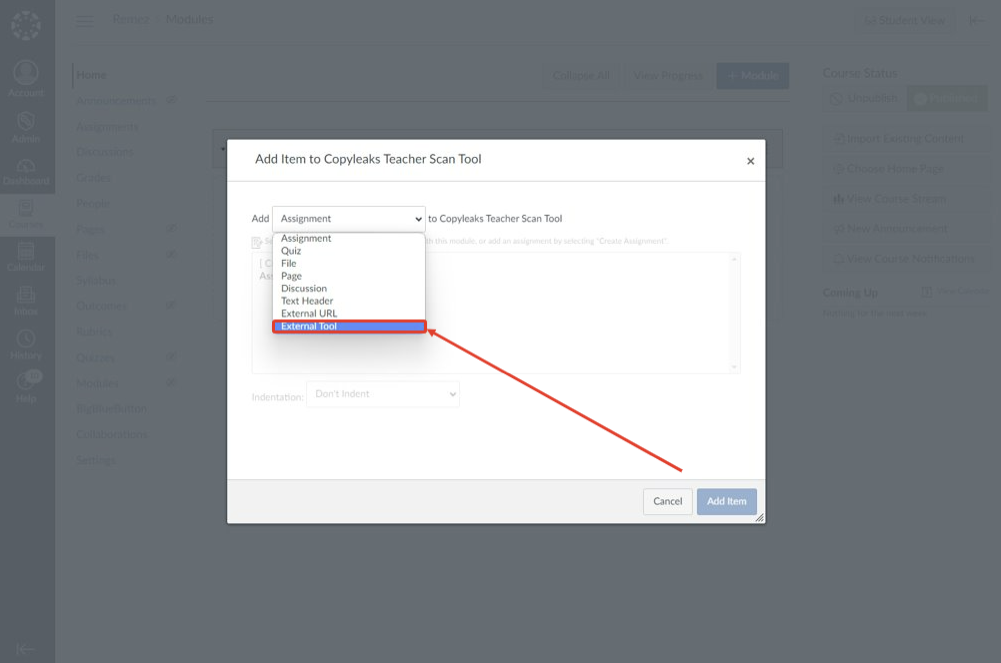
2. From the Add dropdown menu choose External Tool:
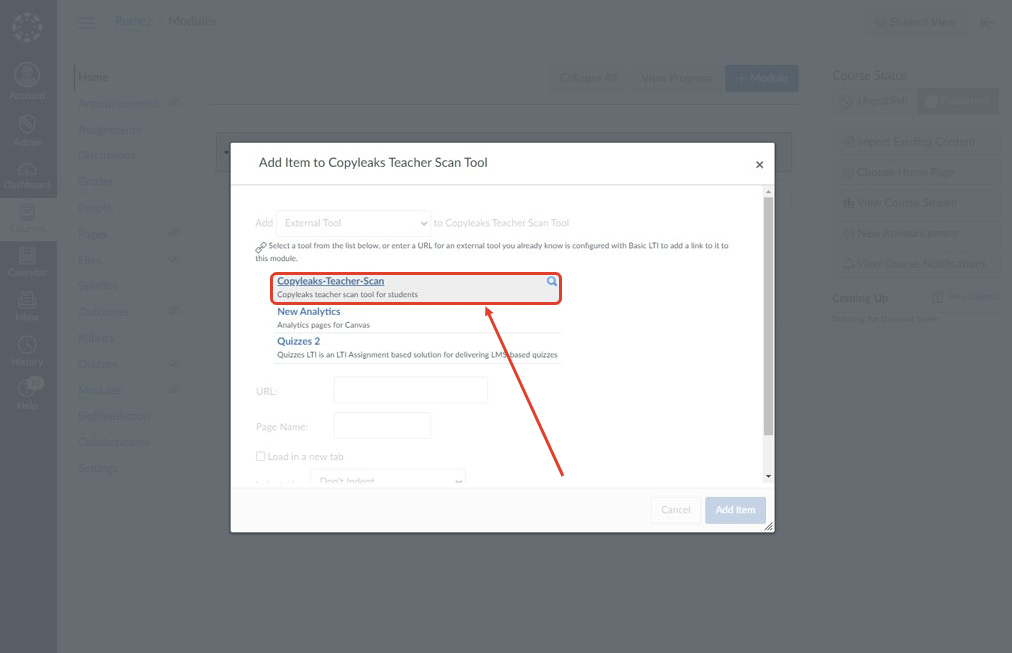
3. Click on the Copyleaks Tool:
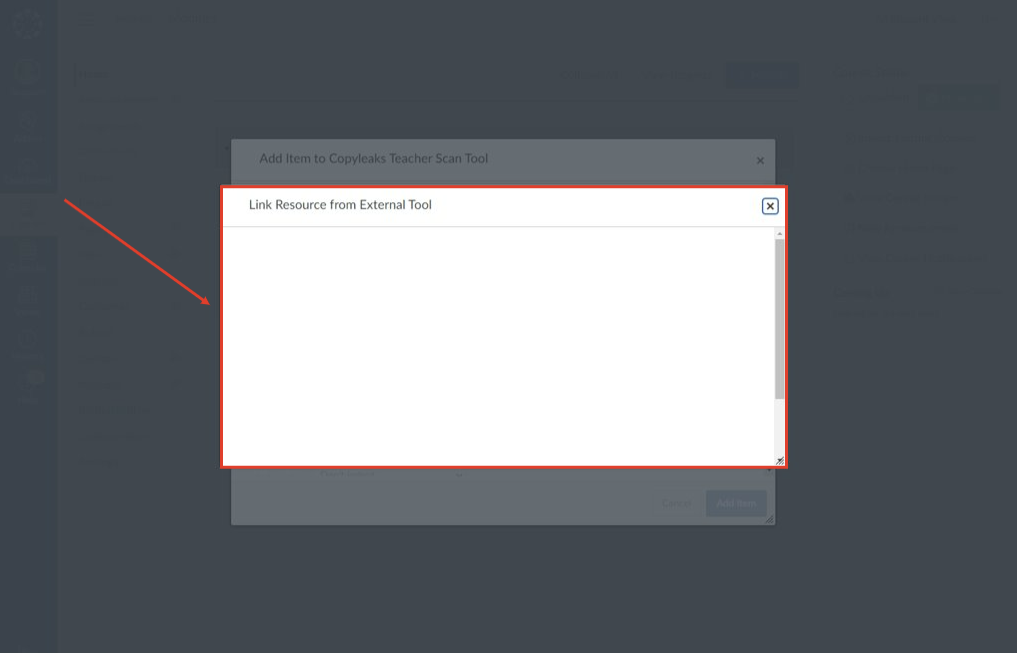
4. The tool will load in a window, after it has completed loading it will close automatically:
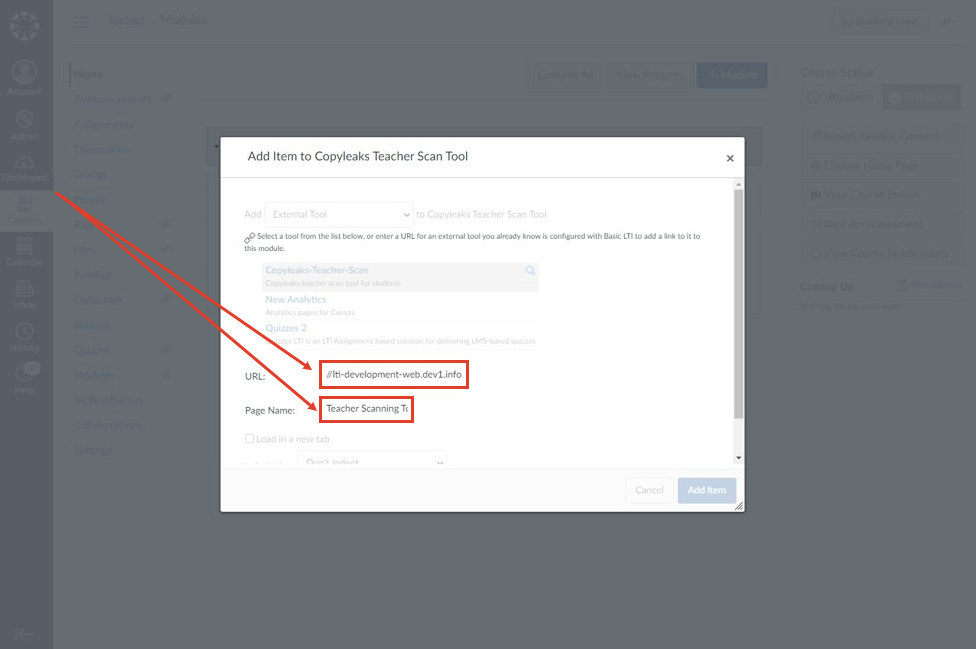
5. If done correctly, the URL and Page Name input fields will be filled:
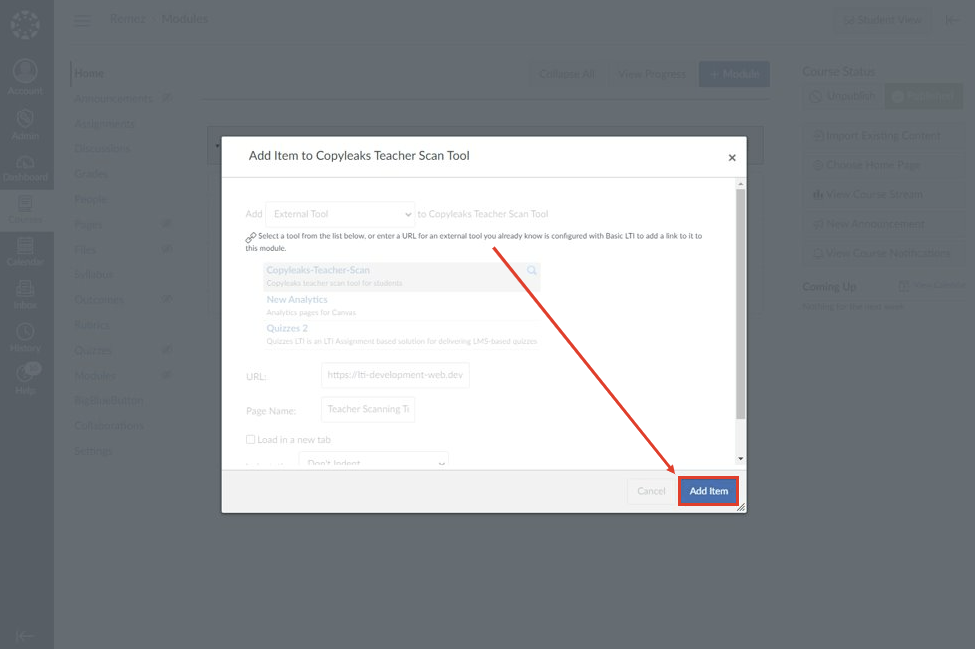
6. Click on the Add Item button:
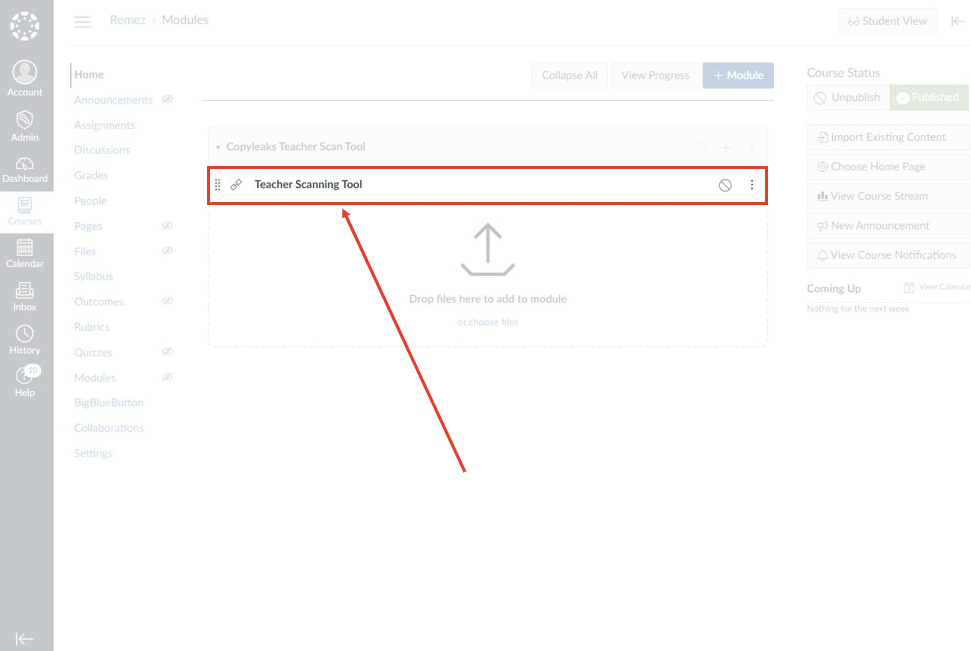
7. The tool should now be added to your course. Click on the tool to open it:
8. Finally, the tool will open up in a new window and be ready to use!