

Accessing APU-GUEST Wi-Fi
- Access your device's wireless settings.
- Select the "APU-GUEST" wireless network from the list of available networks.
- Once connected to "APU-GUEST," open a web browser. You should be automatically directed to the APU-GUEST Wi-Fi login screen:
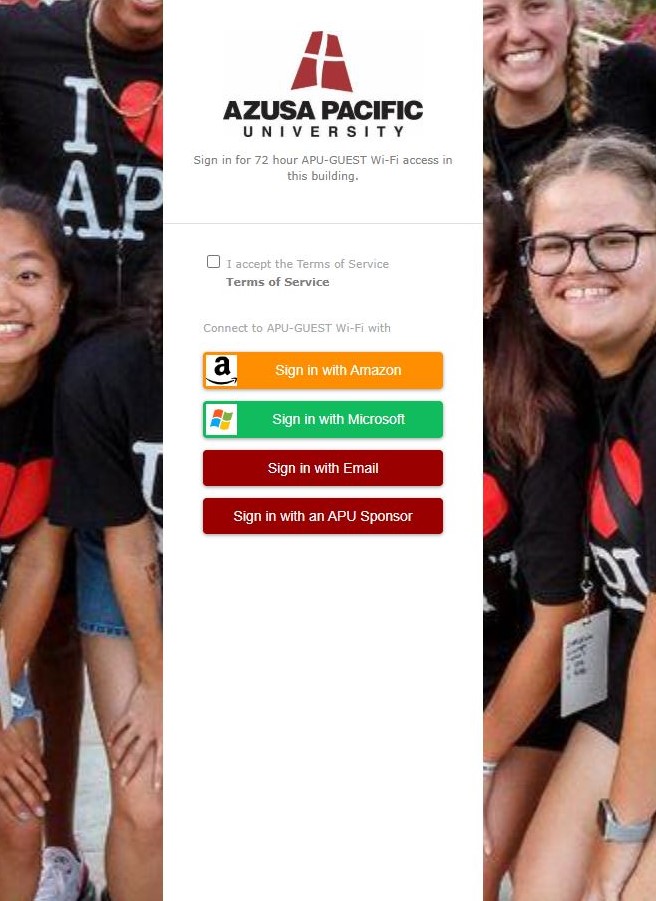
- On the login screen, read the "Terms of Service."
- Click on "I accept the Terms of Service."
- Choose an authentication method. For example, click on "Sign in with Email."
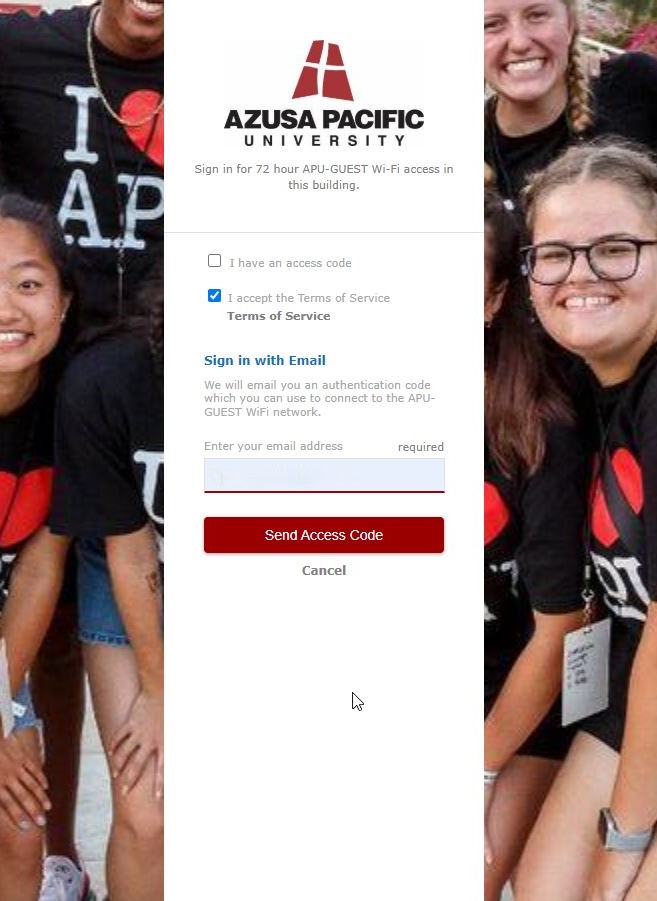
- Enter your email address.
- Click on "Send Access Code".
- Check your email for a message from "[email protected]" containing your access code.
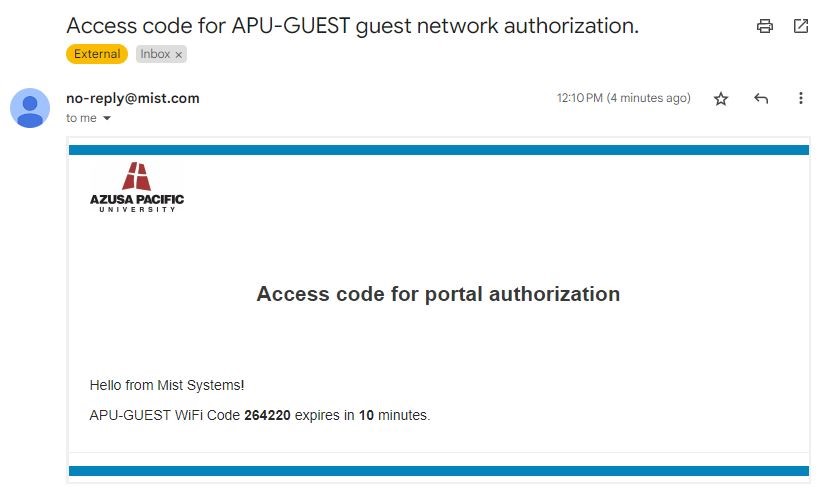
- Enter the 6-digit Access Code from the email into the provided field on the login screen.
- Click on "Sign In".
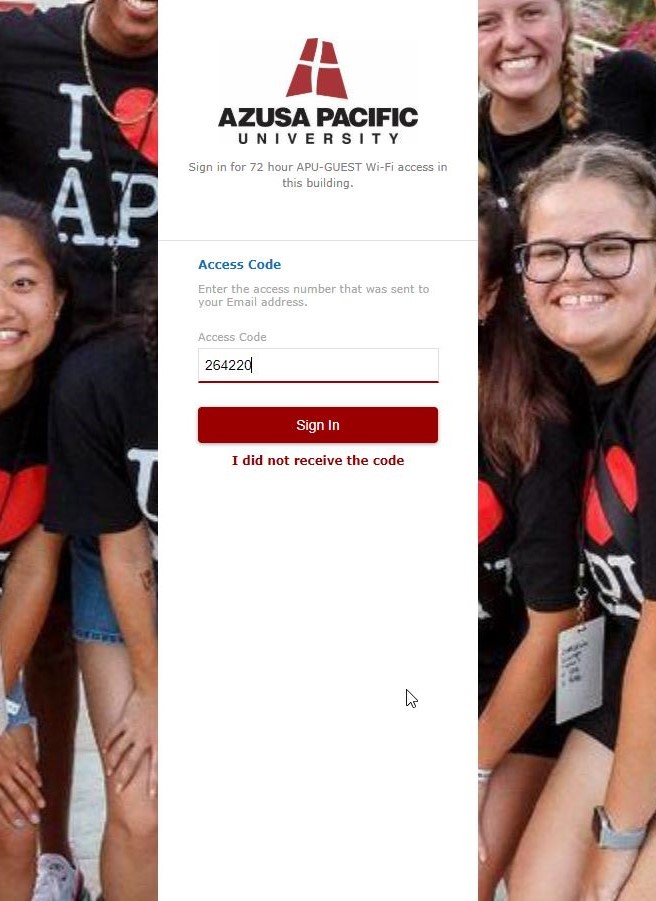
You should now be connected to the internet.
Guest Access Duration:
Guest access codes are valid for 3 days. Each guest device is rate limited to 3 megabits per second. After 3 days, you will need to obtain a new access code to reconnect.