

To set up your APU Gmail account including calendar and contacts to sync with your iPhone or iPad please use the following steps:
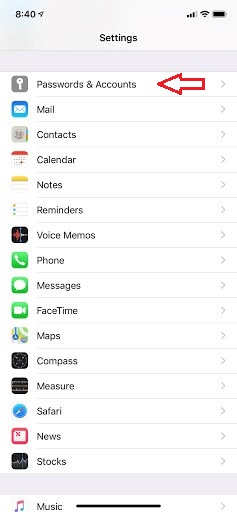
Step 1: Go to Settings then select Passwords & Accounts (On later iOS versions, go to Apps > Mail > Accounts)
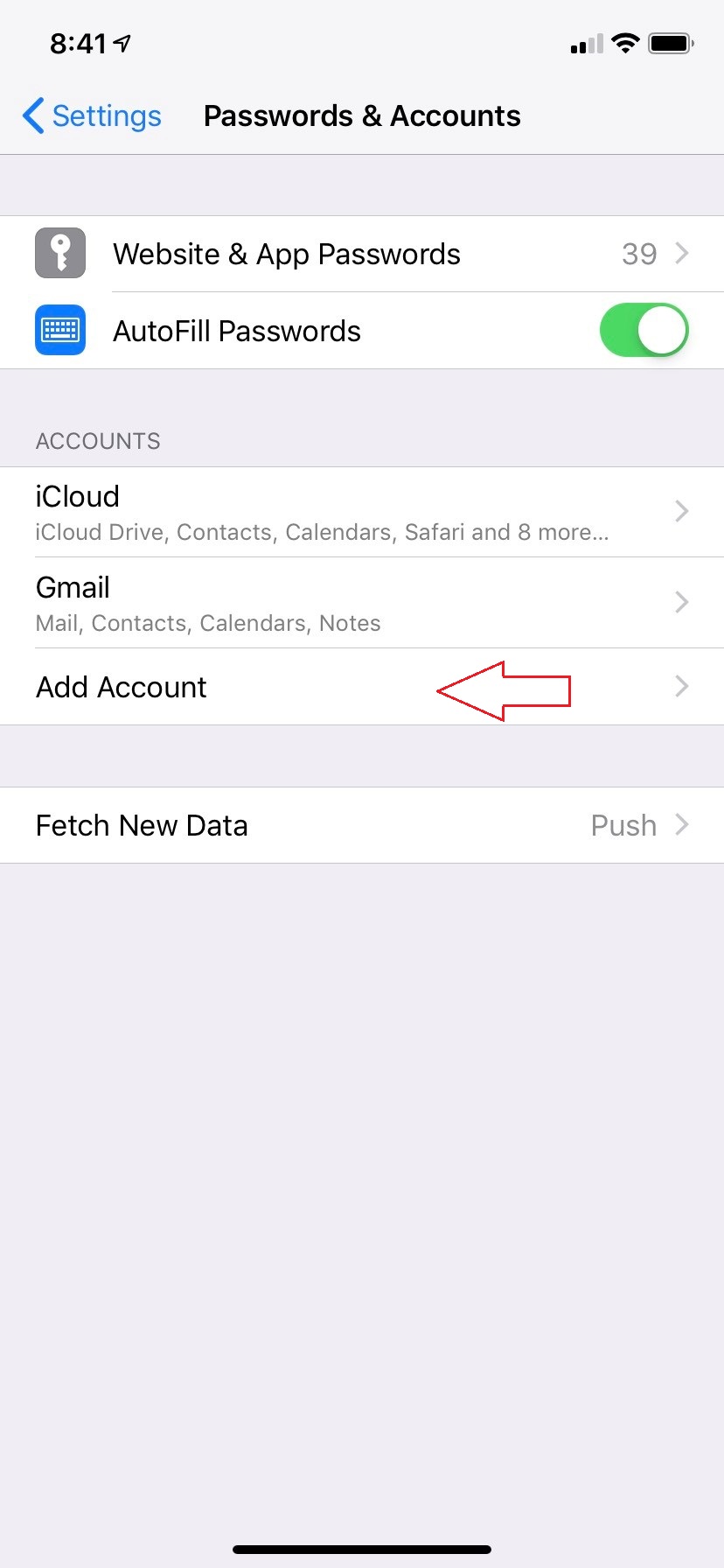
Step 2: Select the Add Account option
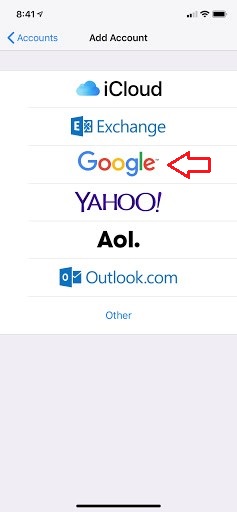
Step 3: Select Google
Step 4: Enter your full APU email address (including the "@apu.edu")
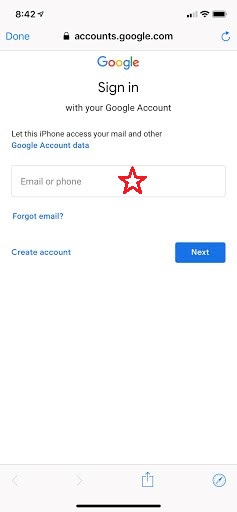
Step 5: This should relocate you to the CAS home page login in where you will enter in your regular APU credentials (without the "@apu.edu"), and then your email will be added.
Alternative Method
Download the Gmail App from the App Store and enter your full APU email address (with the "@apu.edu") - it should allow access to your APU email at that point.