

Gmail recently released a new feature called Schedule Send that allows all APU Gmail users to schedule email to be delivered at a later time. This new built in functionality mitigates the need to continue using Right Inbox.
How to remove the Right Inbox extension in Google Chrome
- Launch Chrome
- Go to chrome://extensions/
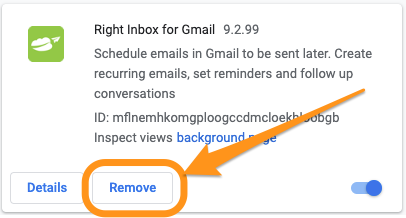
- Find the Right Inbox extension and click the Remove button
-
How to remove the Right Inbox extension in Safari (Mac)
- Launch Safari
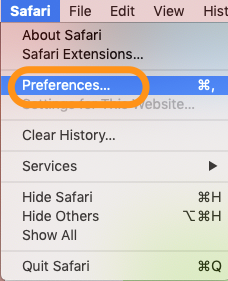
- Click on Safari then Preferences
-
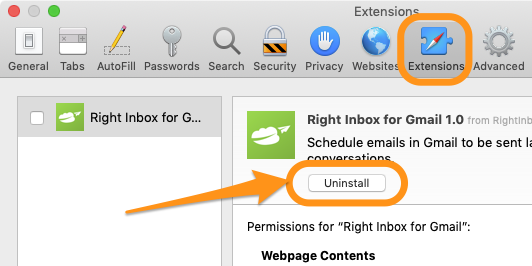
- Select Extensions and find Right Inbox
- Click the Uninstall button
-
How to remove the Right Inbox extension in FireFox
- Click the Menu button , click Add-ons and select Extensions or Themes
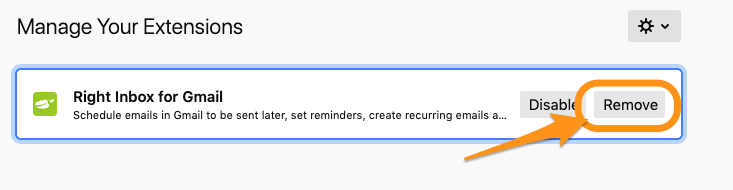
- Find Right Inbox and click the Remove button
-
- Click Restart now if it pops up. Your tabs will be saved and restored after the restart