

1) In the search bar at the top of you Gmail page, click the drop down “Show search options” arrow

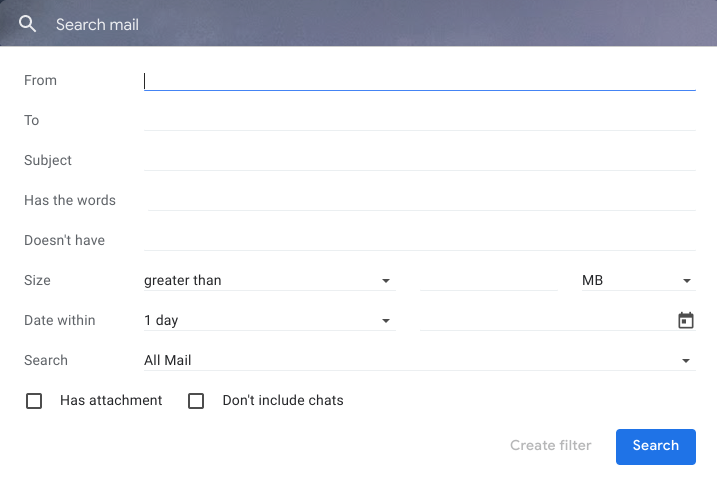
2) You have quite a lot of ways to specify your search, use as many or as few as you like. You can even specify which area of your Gmail you would like the search to take place, for example 'trash' or 'sent'. When you’ve filled it out as much as you feel you need to in order to find your message, click the blue search button at the bottom.
SOURCE MATERIAL:
https://support.google.com/mail/answer/6593?hl=en
https://support.google.com/mail/answer/7190?hl=en
https://www.youtube.com/watch?v=bXjolydTn1Q
VIDEO TUTORIAL:
https://www.youtube.com/watch?v=x2jxHhaOYYM&list=UUdgTksw283OFC78pFcwXIdA