

How to create hyperlinks using Gmail
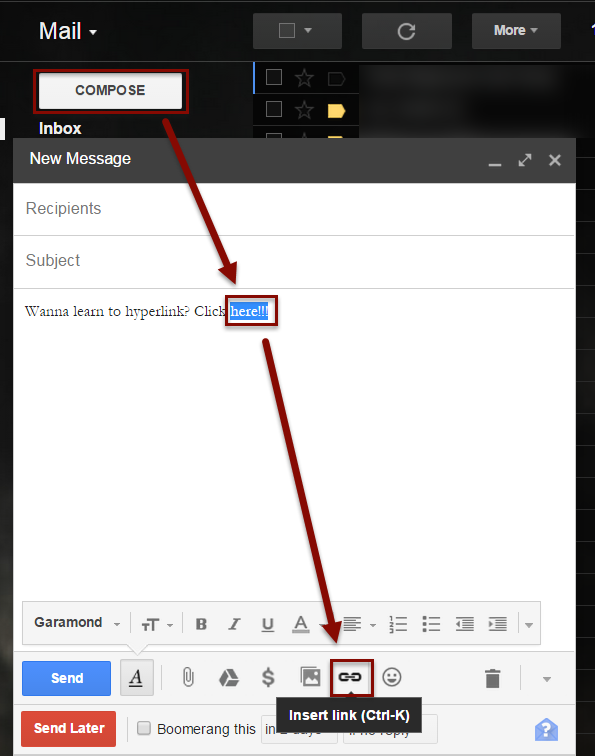
1) Click compose to open a new email, type in the phrase you would like to become a hyperlink. Highlight the text. Go to the task bar located at the bottom of the composition window and click the hyperlink icon, an icon that looks like a few links in a chain - or click Ctrl + K.
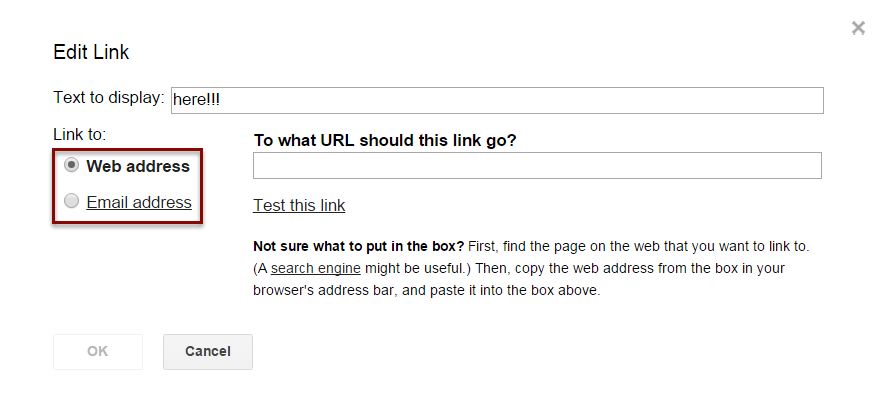
2) Make sure you have Web address selected. Put the link to the site in the URL link box and then click OK.
SOURCE MATERIAL:
https://support.google.com/mail/answer/8260?hl=en
VIDEO TUTORIAL:
https://www.youtube.com/watch?v=iSRunmKc30A&list=UUdgTksw283OFC78pFcwXIdA