

1) Access your drive via the Google Apps grid. Note: your Drive icon placement may differ, but it will be in the apps section
2) Create a new folder, by clicking the red “New” button in the top left corner, and selecting “folder”
3) Name the newly created folder
4) Add any files or folders you want to the newly created folder
A) By either clicking, dragging, and dropping
B) Or selecting
C) and manually moving
D) Them to the desired folder
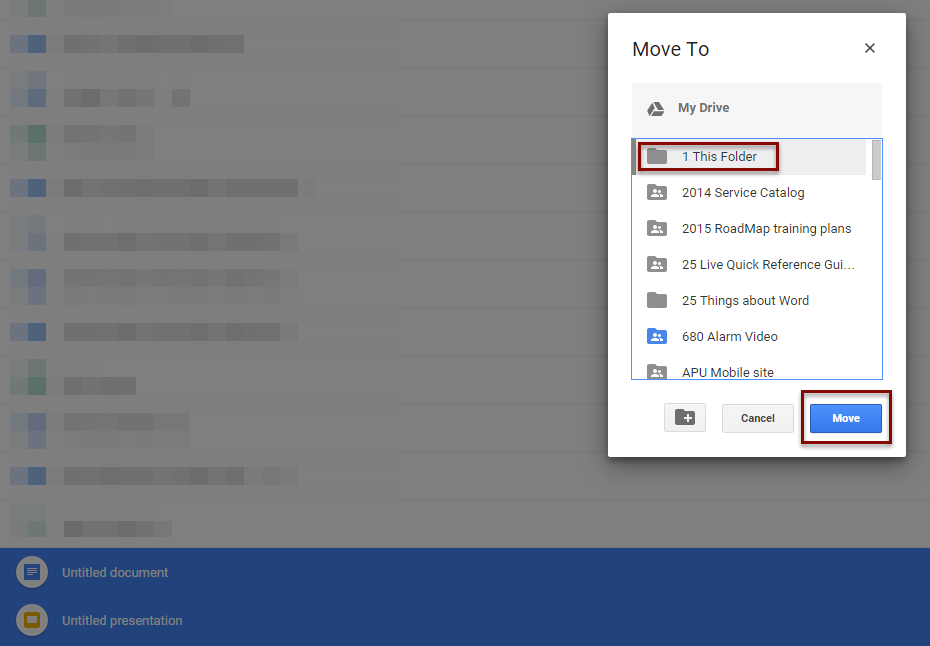
E) Or right clicking, and selecting “Move to…”
F) And selecting the appropriate folder
SOURCE MATERIAL:
https://support.google.com/drive/answer/2375177?hl=en
VIDEO TUTORIAL:
https://youtu.be/gVBpImVi8_o?list=UUdgTksw283OFC78pFcwXIdA