

If you are trying to connect personal devices to Wi-Fi, please see our article regarding the APU-BYOD Wi-Fi Network.
If you are trying to connect an APU-Issued device to Wi-Fi, please see our article regarding the APU-ENTERPRISE Wi-Fi Network.
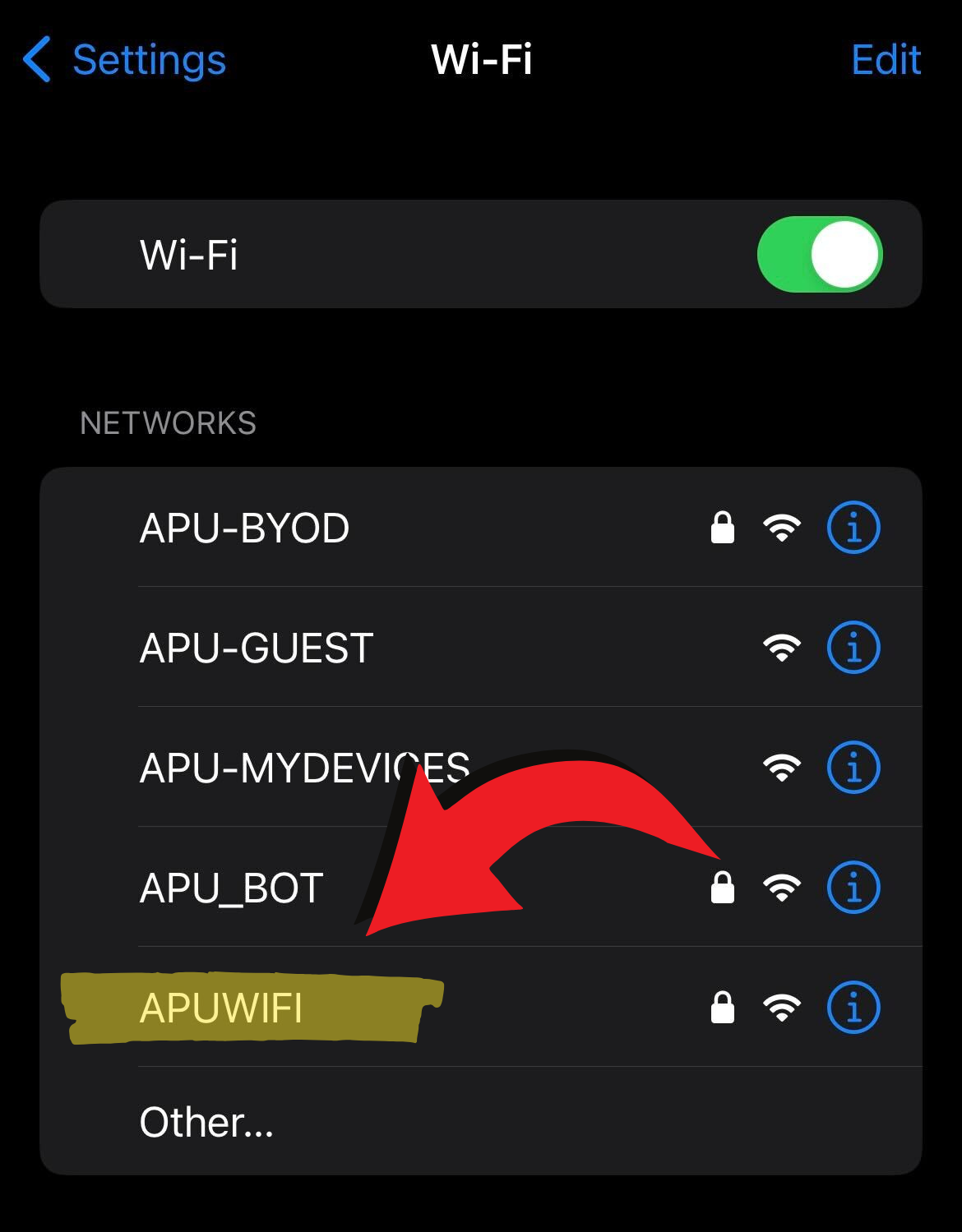
Open the "Settings" on your device and select APUWIFI (as shown below) from the WiFi Menu
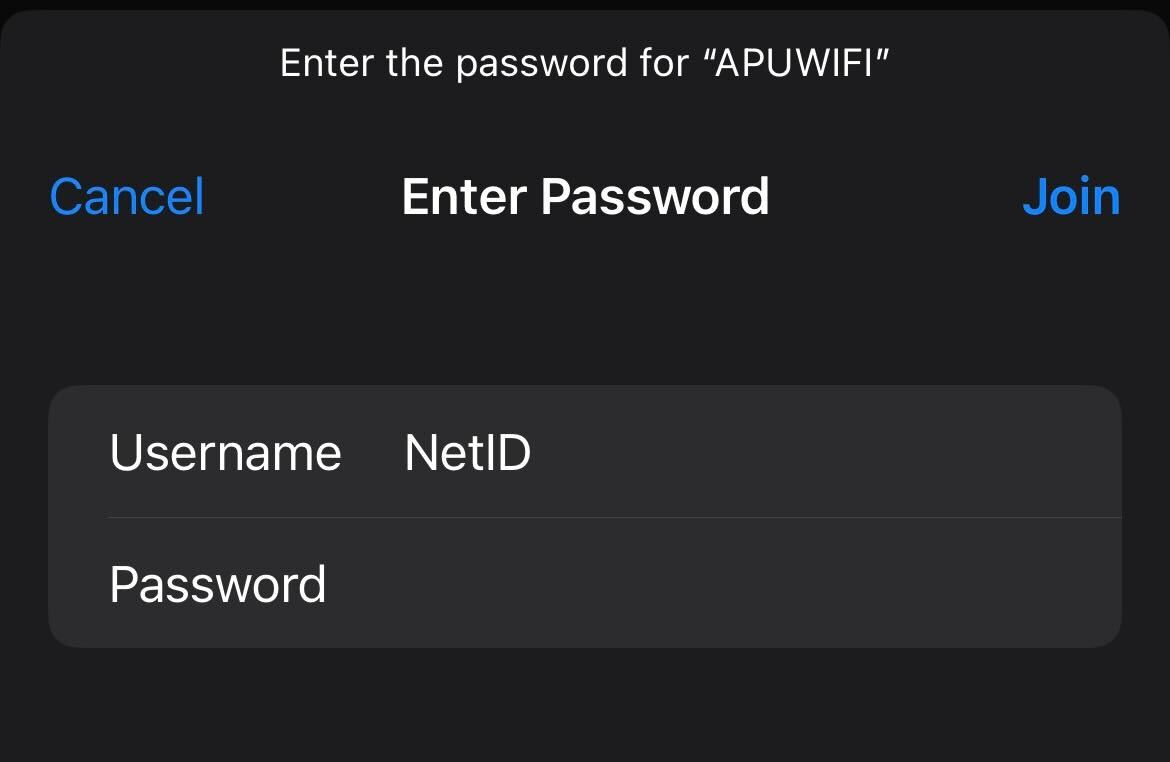
Enter your APU NetID (your APU Email without the @apu.edu) and Password, then click the blue "Join" button in the top right hand corner
Click the blue "Trust" button in the top right hand corner if prompted by a "Certificate"
Congratulations! You are now Connected.