

Adding a personal email address to home.apu.edu is crucial for account security, should your account password expire, a personal, NON-APU email address will allow you to recover your account. If you have a personal email on file and want to request a password reset, please see our article on How to Request a Password Reset Email.
The following steps will walk you through the process of adding the email address:
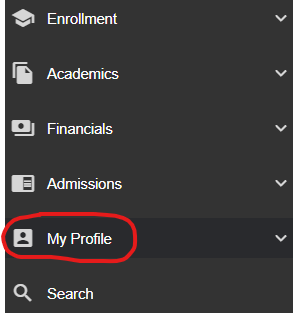
1. Log into your Dashboard at home.apu.edu, on the left hand side, you will see a "My Profile" Tab
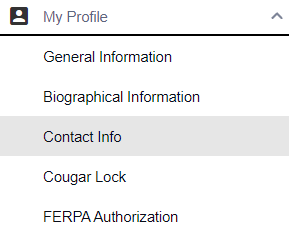
2. Click "Contact Info"
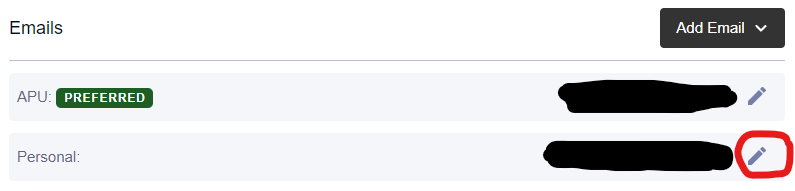
3. Click the pencil icon next to the personal email to update your existing personal email on file or click "Add Email" to add a new one
4. Update your personal email and click "Save"
If you have any questions please contact the Support Center at [email protected].