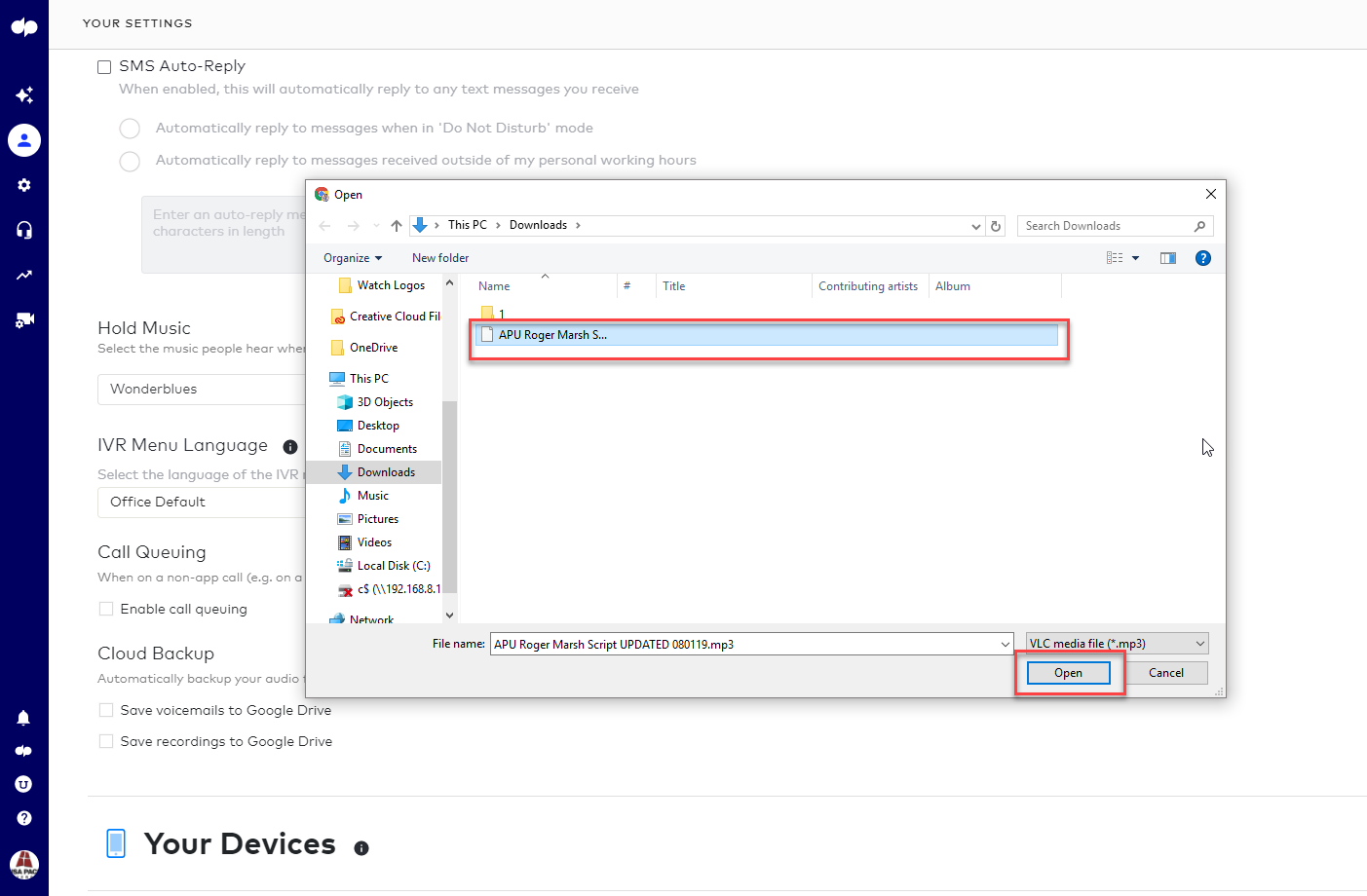
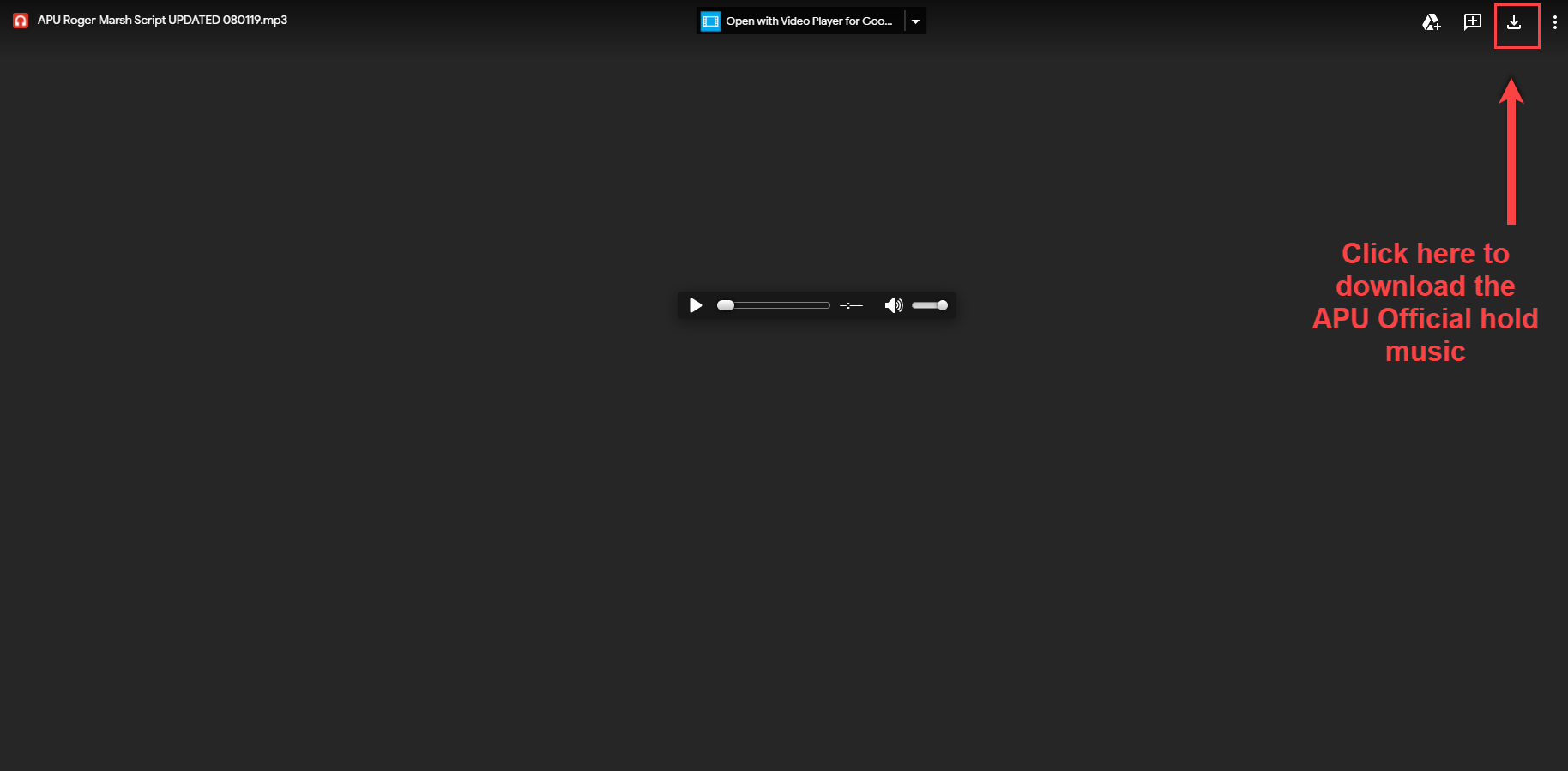
1. Download the Official APU Hold Music.
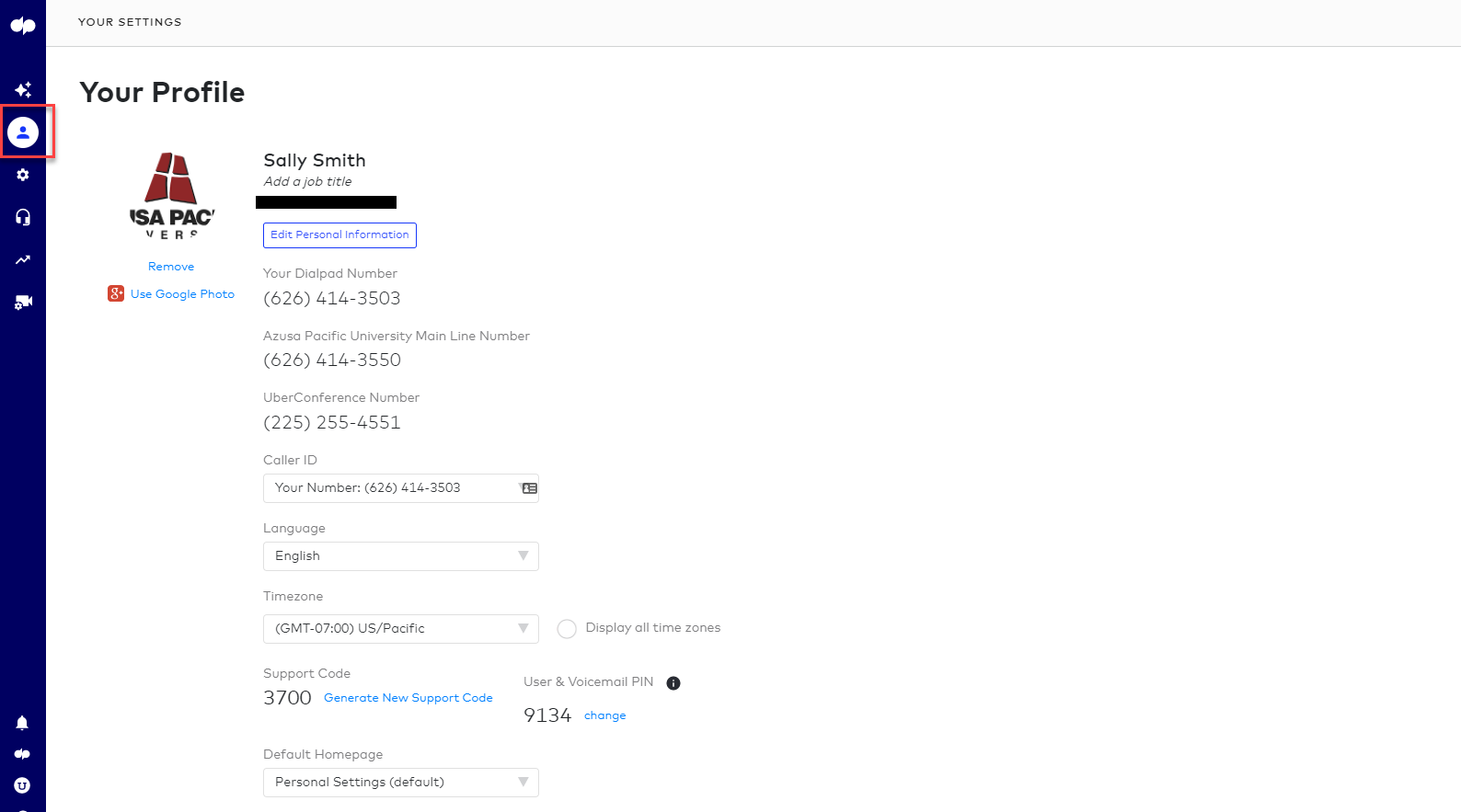
2. Log into your Dialpad account and navigate to your profile settings.
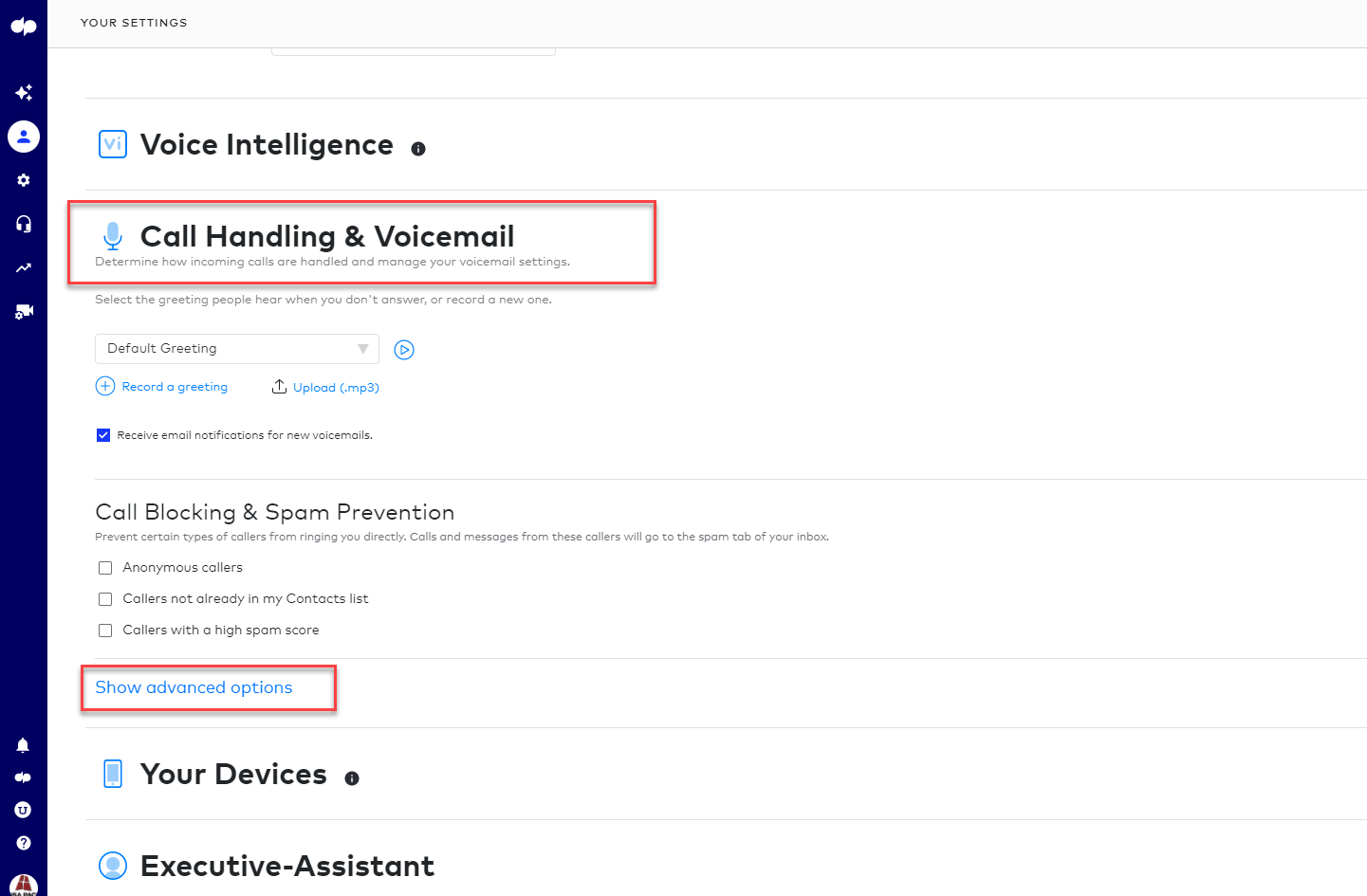
3. Scroll down and select the "Call Handling & Voicemail" section, then click on "Show advanced options."
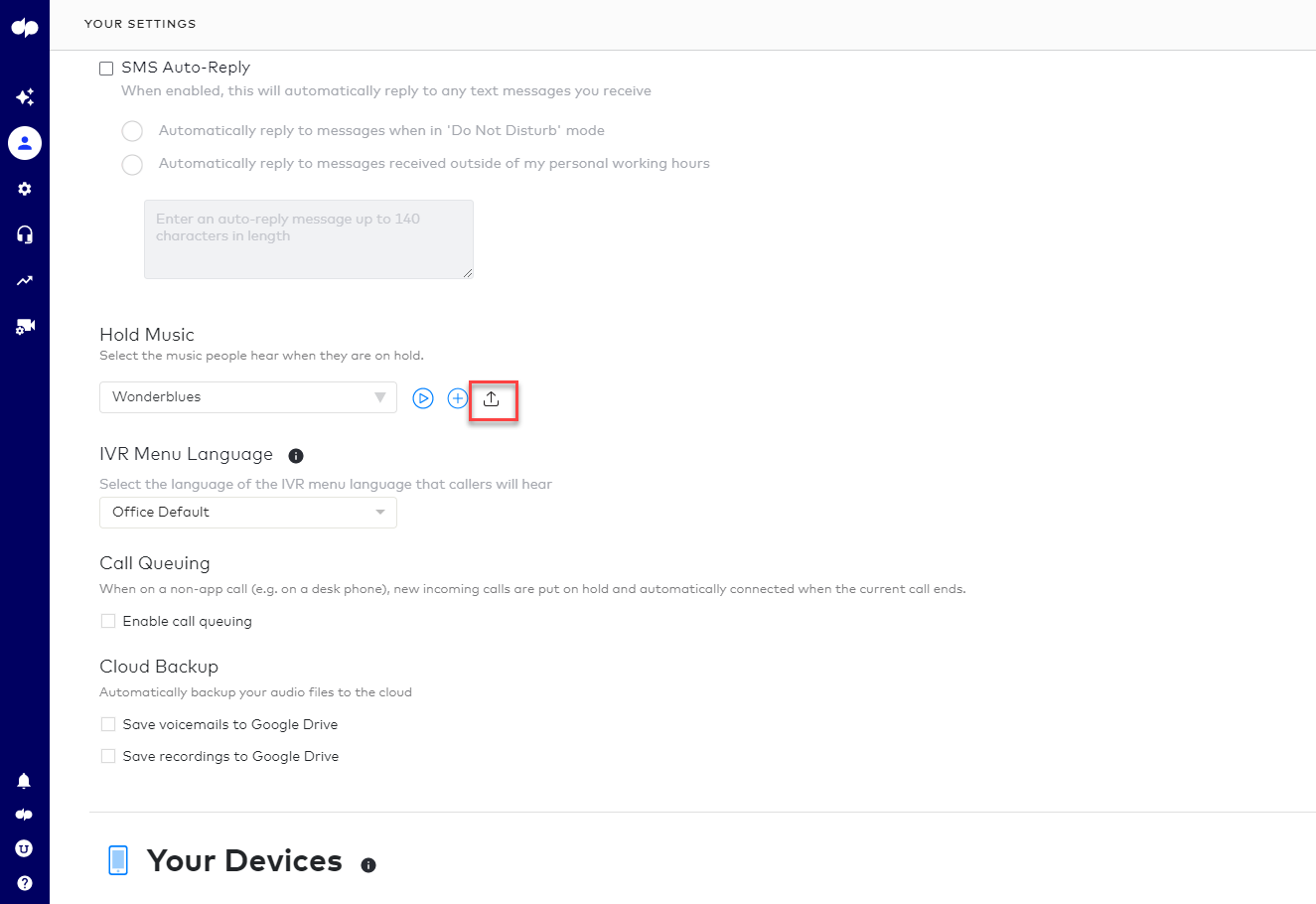
4. Click on the upload icon under the hold music menu.
5. Select the official APU hold music that you downloaded onto your computer in step 1.