

Open Settings
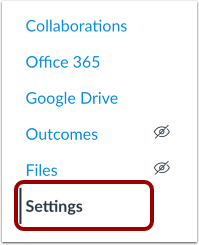
In Course Navigation, click the Settings link.
Open Navigation

Click the Navigation tab.
Drag Lockdown Browser up into unhidden tools
Click Save at the bottom in settings to add the Lockdown Browser tool to your course.
In Course Navigation, click the Settings link.
Click the Navigation tab.
Drag Lockdown Browser up into unhidden tools
Click Save at the bottom in settings to add the Lockdown Browser tool to your course.