What is Dialpad?
Dialpad is a cloud-based, AI-driven business communication tool. The Dialpad VOICE license allows you to make and receive calls, messages, videos, and meetings from anywhere. A completed telephone/Dialpad request form is required for the following:
- Obtain a new Dialpad account for an employee to make/receive calls and text messages.
- Give an APU employee access to a department line.
*Eligibility: To qualify for a Dialpad license, it is required that you hold a full-time position as an APU employee.
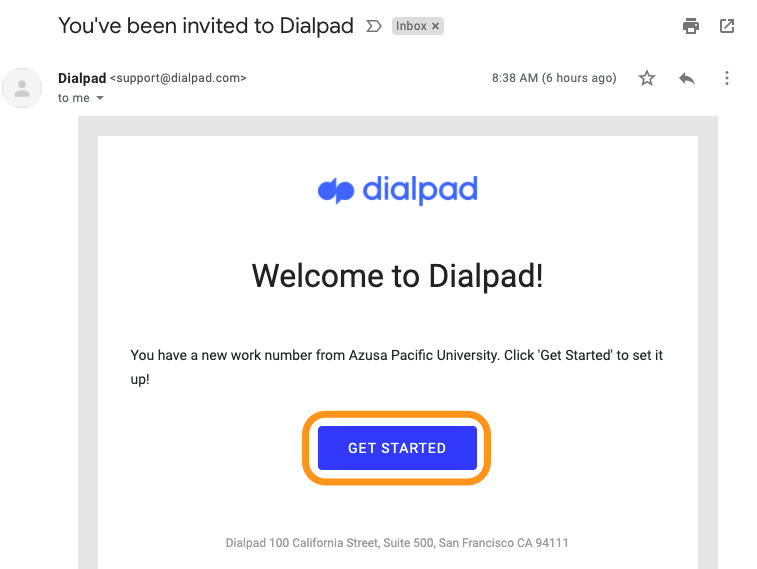
After submitting the Dialpad Request Form and being approved, check your email inbox for the Dialpad invitation: “You’ve been invited to Dialpad”
Condensed Instructions
- Open the Dialpad email invitation and click Get Started.
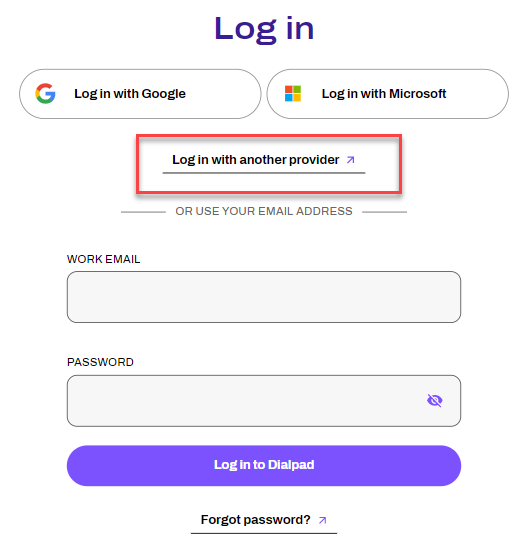
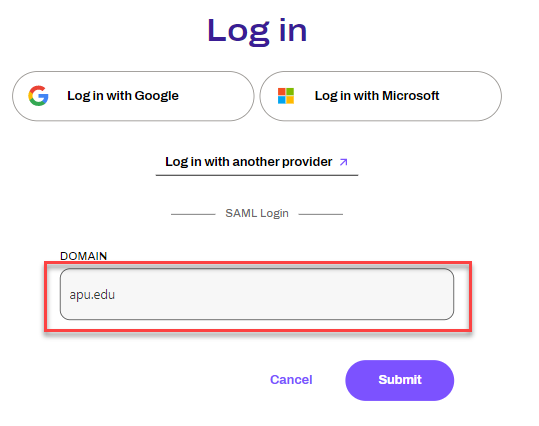
- At the “Log In” screen, select "Log in with another provider"
- Type in "apu.edu" in the "Domain" box and click "Submit".
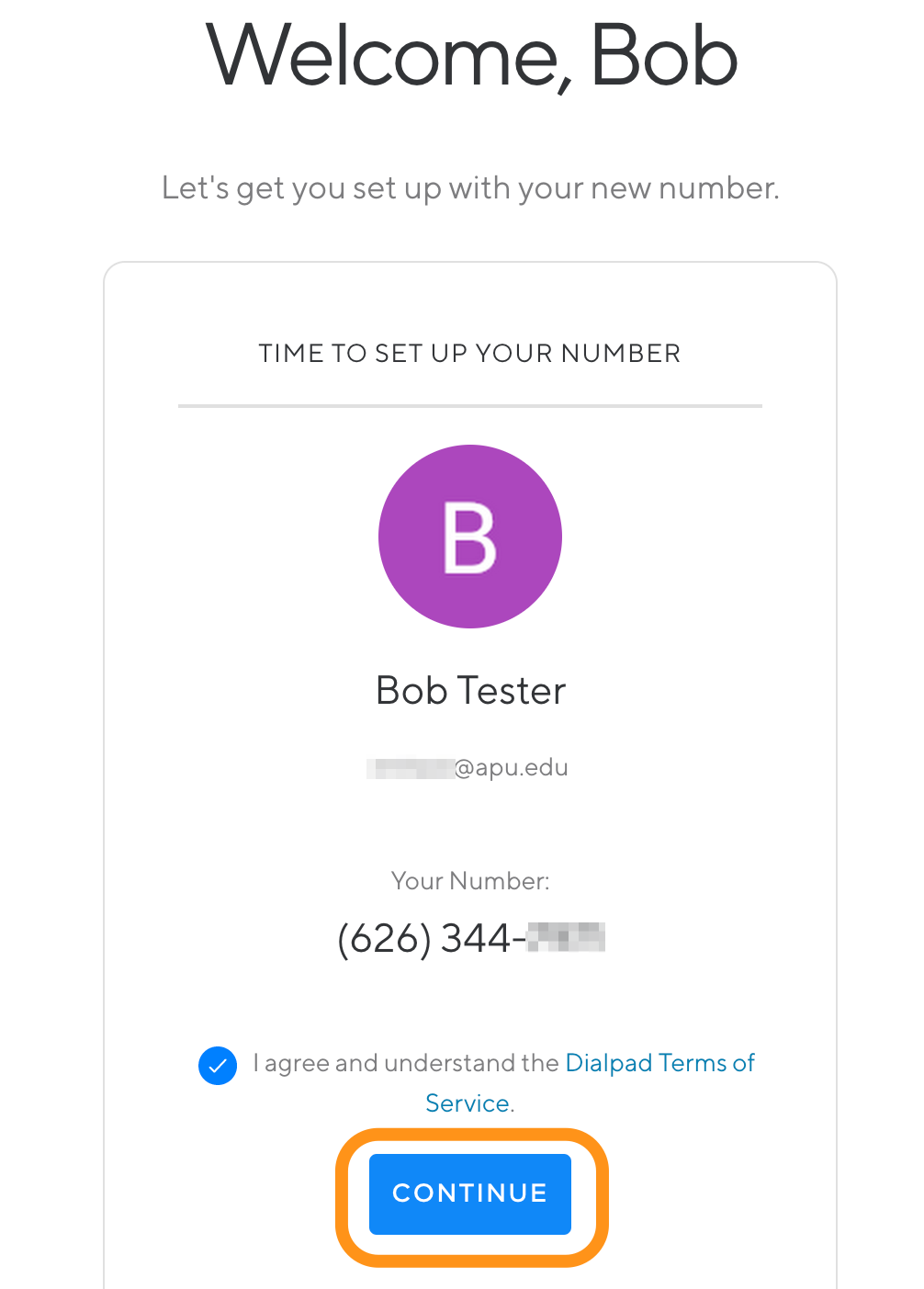
- At the “Welcome” screen, note your new work phone number and click Continue.
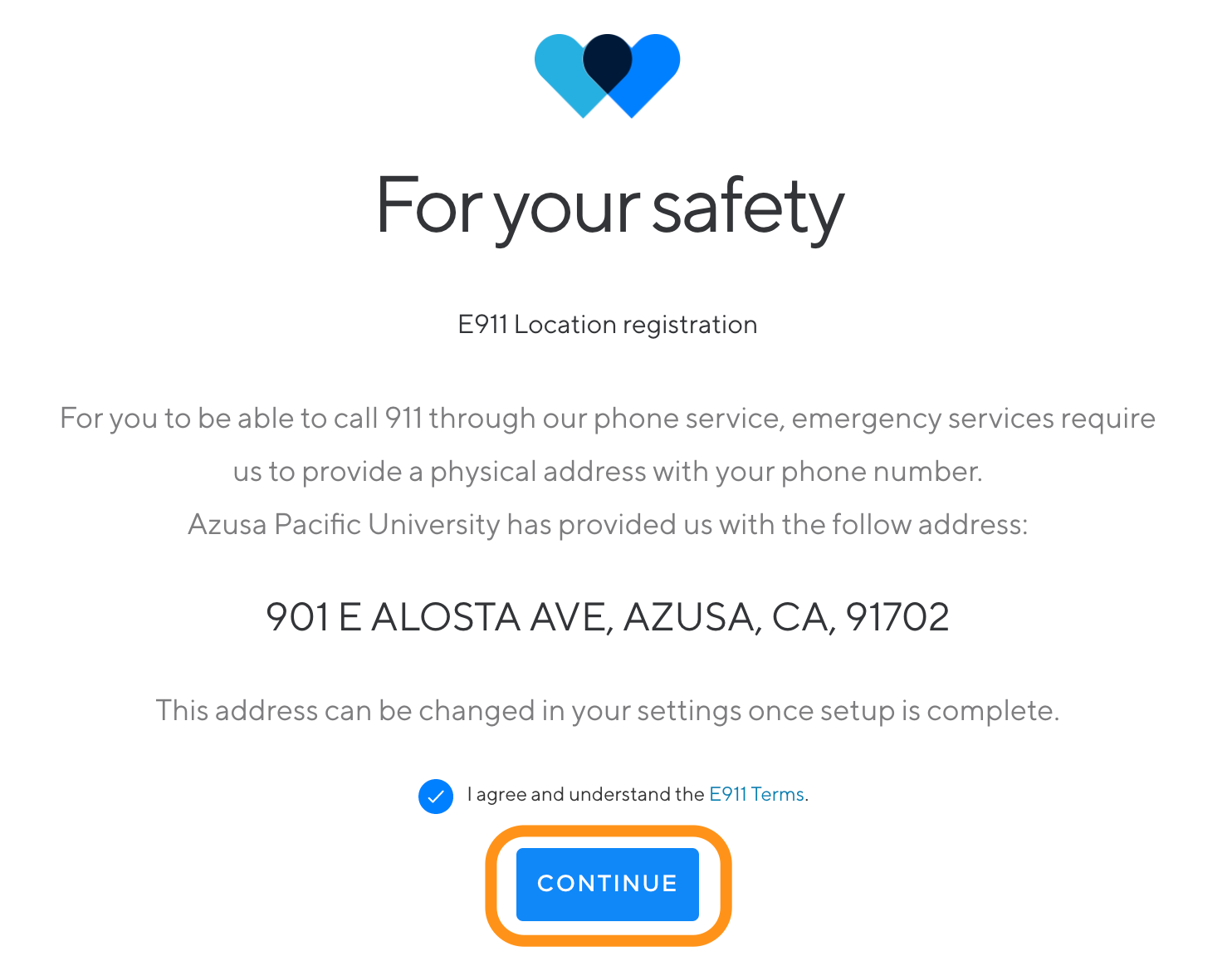
- At the “For your safety” screen, click Continue.
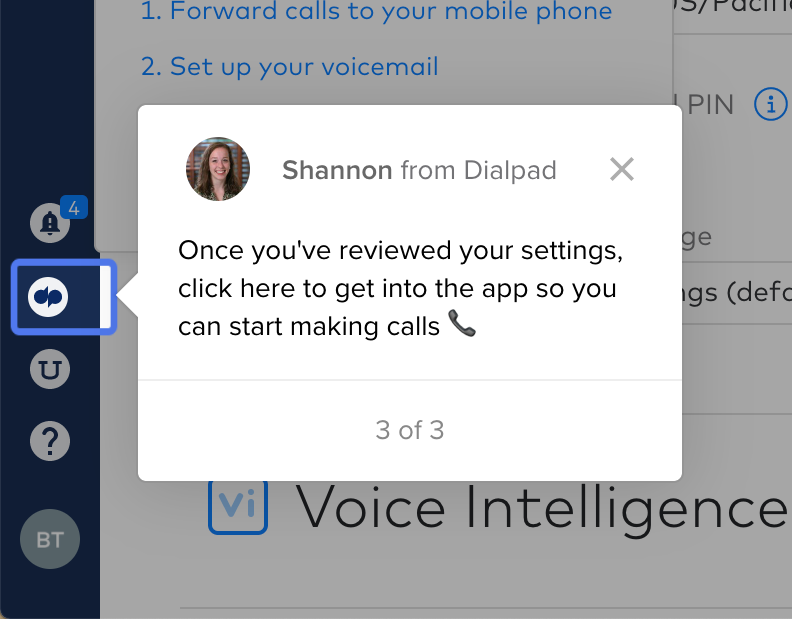
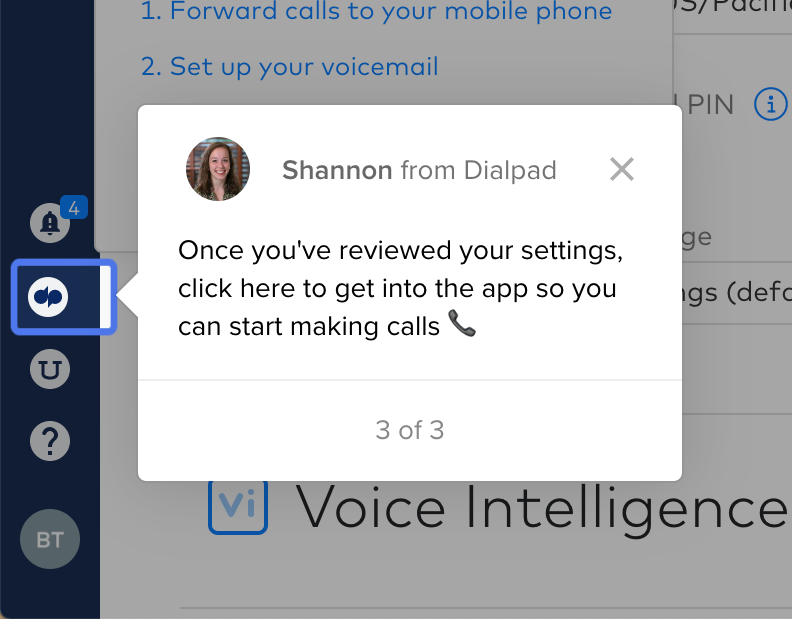
- Your Dialpad account has been created. Click the DialPad icon to start making and receiving phone calls.
Screenshot Instructions
- Open the Dialpad email invitation and click Get Started.
- At the “Log In” screen, select your "Log in with another provider"
- Type in "apu.edu" in the "Domain" box and click "Submit"
- At the “Welcome” screen, note your new work phone number and click Continue.
- At the “For your safety” screen, click Continue.
- Your Dialpad account has been created. Click the DialPad icon to start making and receiving phone calls.